Dashboard
Web UI for managing PromptShield — policy editor, audit log, gateway config, and API keys.
The PromptShield dashboard is a self-hosted web app for managing the gateway and engine without touching config files directly.
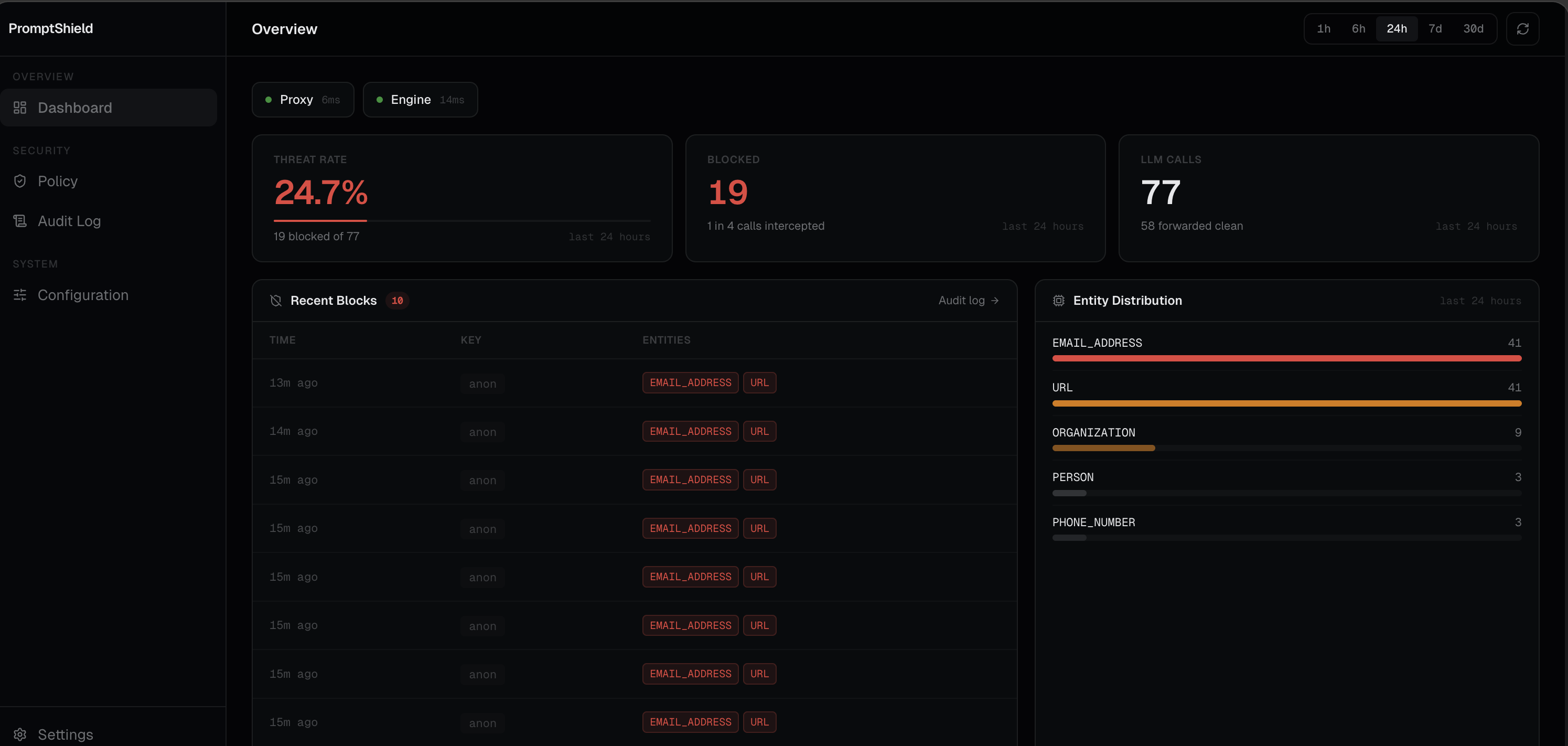
What it does:
- Edit
policy.yamlvisually or as raw YAML; changes hot-reload into the gateway - Browse and filter the audit log (blocked requests, detected entity types)
- Manage API keys and assign per-key policies
- Configure gateway and engine URLs, provider settings, and API keys
- View live gateway and engine health
Requirements
- Runtime option: Docker + Docker Compose, or Bun + PostgreSQL (plain host setup, no Docker)
- The gateway and engine stacks running (optional; dashboard works standalone)
Setup
1. Clone the dashboard repo:
git clone https://github.com/promptshieldhq/promptshield
cd promptshield
2. Copy and fill in the env file:
cp .env.local.example .env.localMinimum required in .env.local:
BETTER_AUTH_SECRET=change-me-at-least-32-characters-long  # any 32+ char string
POSTGRES_PASSWORD=password
3. Start:
docker compose -f docker-compose.dev.yml up --buildThis starts PostgreSQL, runs DB migrations, seeds the policy volume, and starts the API server, web frontend, and docs.
Services
| Service | Address | Description |
|---|---|---|
| Web UI | http://localhost:8000 | Dashboard |
| API server | http://localhost:3000 | Backend |
| Docs | http://localhost:4000 | This site |
Connecting to the gateway and engine
Start the engine and gateway stacks first:
cd promptshield-engine && docker compose -f docker-compose.dev.yml up -d
cd promptshield-gateway  && docker compose -f docker-compose.dev.yml up -d
All three stacks share the promptshield Docker network. The dashboard server reaches the gateway at promptshield-gateway:8080 and the engine at promptshield-engine:4321 automatically.
Plain on-prem setup (no Docker)
Run each service directly with Bun:
# Install deps
bun install

# Run DB migrations (once)
cd packages/db && bunx drizzle-kit migrate

# API server (port 3000)
cd apps/server && bun run --hot src/index.ts

# Web frontend (port 8000)
cd apps/web && bun run dev

# Docs (port 4000, optional)
cd apps/docs && bun run dev --port 4000
Copy apps/server/.env.example to apps/server/.env and apps/web/.env.example to apps/web/.env before starting.
Set these values in apps/server/.env for external gateway/engine connectivity:
ENGINE_URL=http://<engine-host>:4321
ENGINE_API_KEY=<engine-api-key>
GATEWAY_URL=http://<gateway-host>:8080
GATEWAY_ADMIN_TOKEN=<gateway-admin-token>
AUDIT_SERVER_URL=http://localhost:3000
GATEWAY_LOG_SOURCE=file
GATEWAY_LOG_FILE=../../gateway-logs/promptshield.log
If your gateway pushes audit events directly, set this in promptshield-gateway/.env:
PROMPTSHIELD_AUDIT_URL=http://<dashboard-host>:3000
AUDIT_INGEST_SECRET=<shared-secret>
Policy file path
The dashboard reads and writes policy.yaml at a configurable path. In Docker it defaults to /policy/policy.yaml (the shared promptshield_policy volume). Go to Config → Policy File to validate or change the path.